

Are you looking for the top paid social tools to elevate your campaigns?
Whether you’re managing ads on the go, wanting to create eye-catching ads or track competitor activity, having the right toolkit to dip into can make all the difference.
In this blog, we highlight our top 6 tools that every marketer running Meta Ads should consider in 2024. So without further ado, here they are…
Tool #1: Meta Ads Manager App
If you’re running ads on Meta, particularly on multiple accounts, the Meta Ads Manager app is a must. It doesn’t replace Ads Manager on a browser, as there is much less functionality in the app, but it’s a great addition to have.
The key reasons we love it include:
- View campaign performance on the go and at a glance – The home page of the app will show you key performance metrics for your campaigns. Plus, if you manage multiple ad accounts, you can quickly swap between them by using the Settings cog in the top left.
- Make small changes easily – If you’re on the go and need to alter budgets or want to turn off underperforming ads, you can do this all within the app.
- Recommendations – One of the coolest features of the app is the Recommendations tab. This shows you Meta’s suggested optimisations that you can make at the tap of a button.
- Support at your fingertips – If you need to resolve an issue with your account or book a call with your Meta Pro, you can do this quickly from the help tab.
- Notifications – You can choose what notifications you receive on your phone from the app. This can be handy, to be swiftly alerted to any important changes. For example, an ad rejection, account spending limitations, payment issues or learning phase completions.
Tool #2: Looker Studio
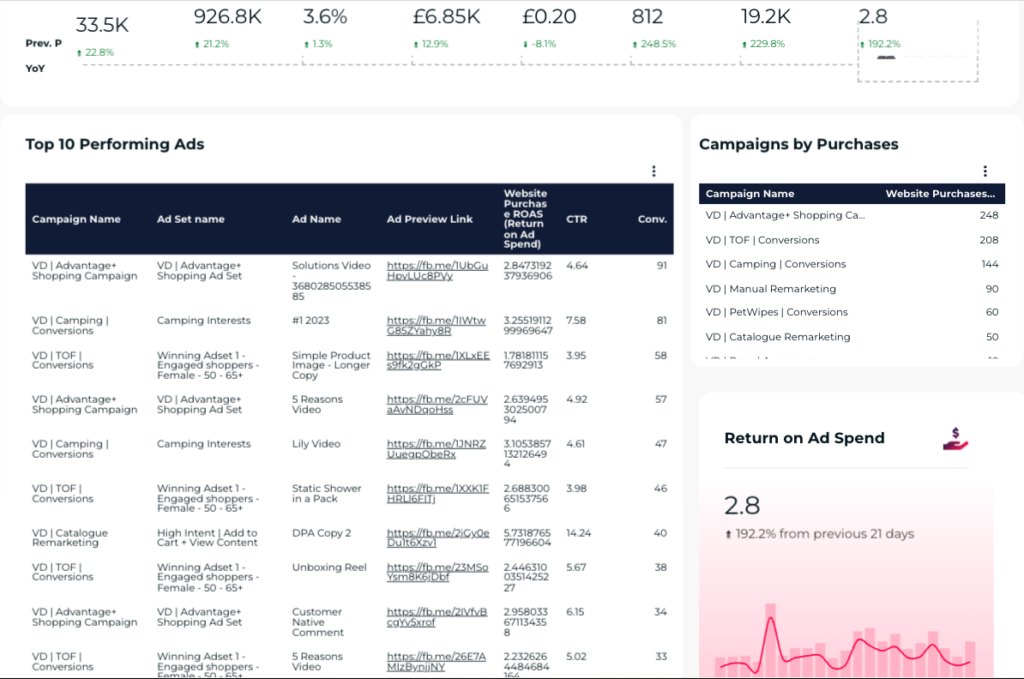
If you work in Meta Ads Manager, you’ll know the interface isn’t the best. It can be tricky to gather the important data you need, and sharing the results with clients or stakeholders can be time consuming.
Google’s Looker Studio is a data visualisation tool, and doesn’t only work with Google Analytics and Google Ads, it can also pull in data from social platforms such as Meta.
You can design your reports pretty much exactly how you’d like them: with yours or your client’s branding, highlighting the most important data, showing timelines and graphs, pie charts, and loads more.
And what’s even better, is that the data feeds in real-time. At any point, you or your team can open the report and see Meta Ads performance from today, or from the last 3 months for example.
The only caveat is that you’ll need an integration tool that links Meta to the Looker Report, and typically these come with a monthly cost. The one we use is Power My Analytics whose monthly prices start from $14.95.
Tool #3 - Canva
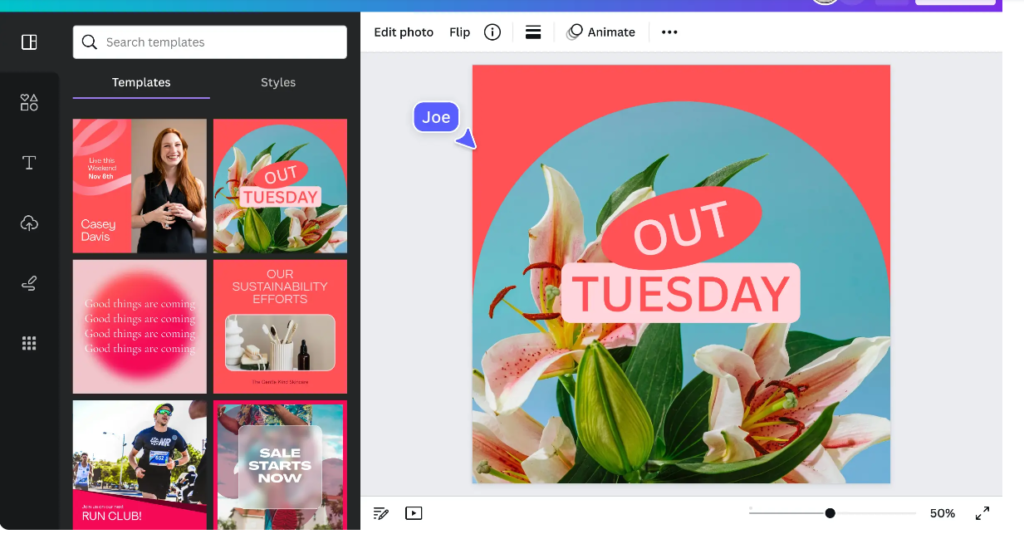
If you aren’t lucky enough to have a graphic designer in-house, or if they’re constantly busy on other projects, give Canva a go.
With the targeting options on Meta slowly diminishing, more importance is now placed on your ads to find and convert your ideal customers. Therefore, the more variety of ads you can produce and test, the better.
You don’t need huge amounts of creative flair – this user-friendly online design tool offers a vast array of templates specifically tailored for social media advertising, making it accessible to anyone. You can create static images, carousels and videos, and easily drop in your branding and imagery.
There is a free version of Canva, but their paid options allow further customisation and a larger stock of free elements, photos and videos to use.
Tool #4 - Useclip
“60% of marketers plan to increase their influencer marketer budgets”
Influencer Marketing Hub
Influencer marketing is fast-becoming a must-have marketing tool, but it can often feel overwhelming to find and liaise with an influencer to work with.
Let us introduce you to Useclip. We’ve tested a few Influencer platforms, and this one definitely comes out on top!
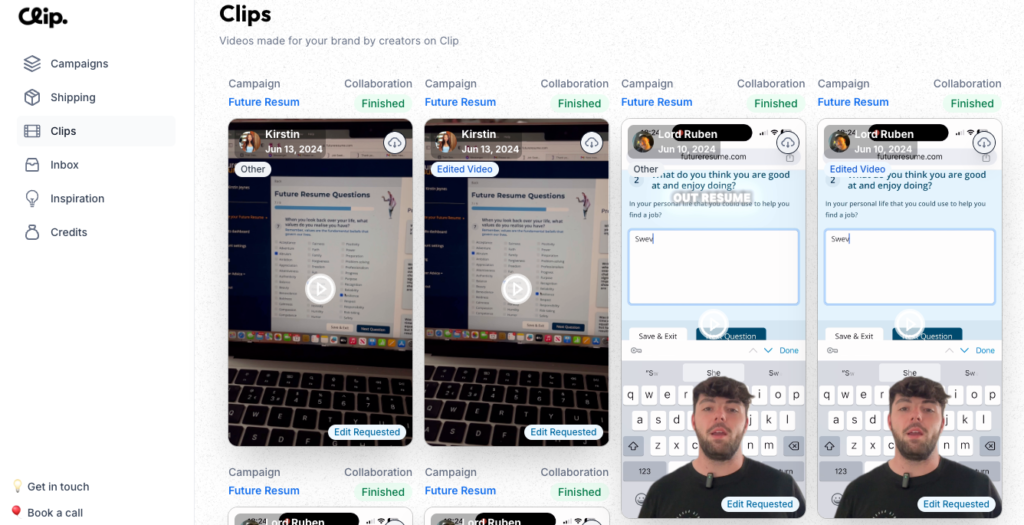
Useclip allows you to easily search for influencers that relate to your business, based on the content they create and the audience they have. Useclip vets all of their influencers, and you can read their reviews and portfolio of content before settling on who to go with.
Once you’ve chosen your influencers, make sure to send a super clear brief for them to follow, including a script, describing the look/feel and the format. You’ll then have a round of edits you can submit, and then the video is yours to use.
All communication happens within Useclip, making it easy to track progress and keep everything in one place. It’s affordably priced too with videos starting from £99 each.
Tool #5 - Facebook Ads Library
Ever wanted to snoop on your competitors to see what ads they’re running? Or simply view ads from big brands for inspiration? You can with Facebook Ads Library.
It’s such an underrated tool, and something we use weekly. Either for competitor analysis, or to get fresh ideas.
Simply type in a business name, and bam – you’ll see all their currently running ads.
Tool #6 - Confect.io
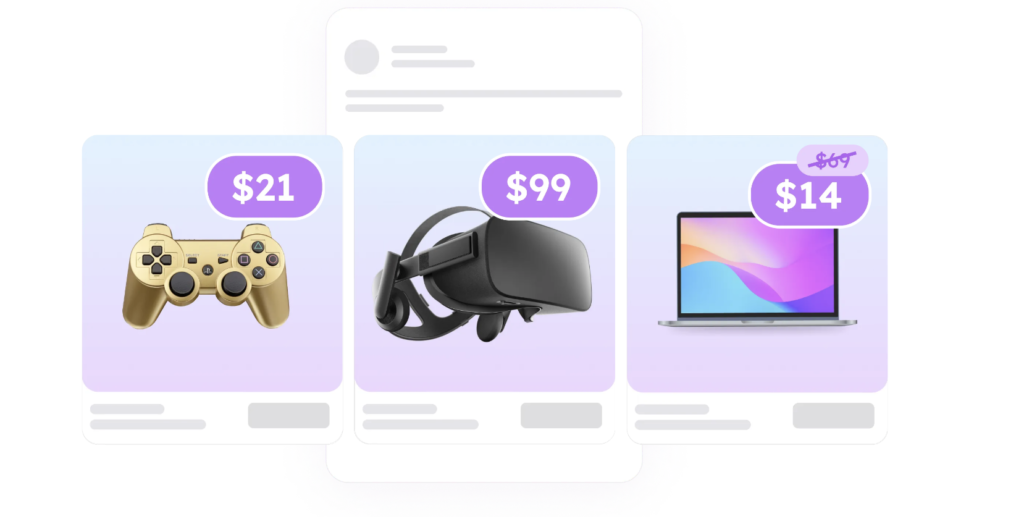
If you’re promoting products and have Commerce Manager set up for your Meta campaigns, there’s no doubt you’re using dynamic product ads.
But how do you make your product ads stand out? Confect.io allows you to quickly create branded and visually appealing product ads across all your channels – not just Meta.
There are also options on the platform to A/B test different product ad variants, so you can be sure you’re running the best designs and continuously improving performance.
And that’s a wrap!
We hope you find some of these 6 top paid social tools useful and if you have any others you use, feel free to send them our way!
To get more inspiration for your Meta campaigns, check out our blog ‘Top 5 Meta Advertising Tools to Use in 2024′.